
Download WhisperNotes – AI Voice‑to‑Text Transcription Tool for Fast Note‑Taking
Overview
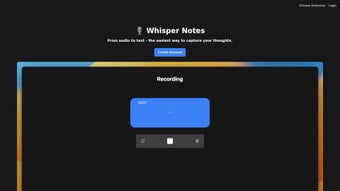
WhisperNotes is an efficient AI‑powered web application that turns spoken ideas into searchable text notes in seconds. Built around a state‑of‑the‑art speech‑recognition engine, the tool captures audio directly from a microphone or an uploaded file, then transcribes the content with a level of accuracy that rivals premium desktop solutions. What sets WhisperNotes apart is its tight integration with a full‑text search engine and a flexible tagging system, allowing users to locate specific passages across a growing library of audio‑derived notes without scrolling through endless recordings.
The platform also offers an AI‑driven text‑cleanup feature that automatically corrects grammar, removes filler words, and improves overall readability, so the final note feels as polished as a manually typed document. Available as a Chrome extension, WhisperNotes works wherever you browse, giving you instant access to transcription capabilities while you research, attend webinars, or conduct interviews. A free trial lets you explore the core functions before deciding on a subscription, making it a low‑risk addition to any knowledge‑management workflow.
Key Features & Benefits
- Accurate AI transcription: Leveraging deep‑learning models, WhisperNotes delivers high‑fidelity text conversion for multiple languages and accents.
- Full‑text search: Instantly locate keywords, phrases, or tags across all your notes, saving minutes of manual scanning.
- Tag‑based organization: Attach custom tags to each note for hierarchical categorisation and quick filtering.
- AI text cleanup: Automatic grammar correction, filler‑word removal, and sentence restructuring improve readability.
- Chrome extension integration: Capture audio while browsing, with one‑click transcription that appears directly in the extension’s sidebar.
- Version control: Keep both the original transcription and the edited, cleaned version for reference or audit trails.
- Free trial & flexible pricing: Test all core functionalities without commitment, then choose a plan that scales with your usage.
Beyond the raw feature list, WhisperNotes enhances productivity in tangible ways. Researchers can record interview snippets on the fly and instantly generate searchable transcripts, eliminating the need for separate transcription services. Students capture lecture audio and receive clean notes that can be highlighted and exported to study apps.
Professionals who attend virtual meetings can archive discussions with timestamps and tags, making follow‑up actions easier to track. The AI cleanup reduces the time spent editing raw transcripts, while the search function means you can type a single keyword and jump to the exact moment in an hour‑long recording. All these benefits converge into a single, browser‑based experience that removes the friction of juggling multiple tools.
Installation, Usage & Compatibility
Getting started with WhisperNotes is intentionally straightforward. Because the core application runs in the cloud, there is no heavy software to install on your desktop. The primary entry point is the Chrome extension, which can be added from the Chrome Web Store in just a few clicks.
Once installed, a small icon appears next to the address bar. Clicking the icon opens a lightweight sidebar where you can start a new recording, upload an existing audio file, or paste a link to a media source. The interface guides you through selecting a language, enabling background noise suppression, and optionally adding initial tags.
After you hit “Transcribe,” WhisperNotes uploads the audio to its secure servers, where the AI model processes the sound and returns a text block within seconds for short clips, or a few minutes for longer recordings. The raw transcript appears in the sidebar with a “Clean Up” button. Activating this triggers the AI text‑cleanup routine, which refines the wording and presents a polished version side‑by‑side with the original. You can edit either version manually, add or remove tags, and then save the note to your personal library. All notes are stored in an encrypted cloud vault, accessible from any device that runs Chrome and logs into your WhisperNotes account.
Compatibility is broad because the service is browser‑based. WhisperNotes works on Windows 10/11, macOS Monterey and later, as well as Linux distributions that support the latest Chrome or Edge browsers. Mobile users can install the Chrome extension on Android devices (Chrome 100+ required) and on iOS via the Safari‑compatible web app, though the full feature set—especially the AI cleanup—is optimised for desktop environments. Because the data never resides locally unless you choose to export, the tool maintains a high level of security and privacy, complying with GDPR and CCPA standards.
For power users who prefer a scriptable workflow, WhisperNotes offers a simple REST API (available with paid plans) that allows you to send audio files programmatically and receive JSON‑formatted transcripts. This makes it easy to integrate WhisperNotes into existing knowledge‑base platforms, CRM systems, or custom note‑taking pipelines. Documentation is clear, with example cURL commands and code snippets for Python, Node.js, and Ruby.
Pros & Cons
Pros
- High‑accuracy transcription across multiple languages and accents.
- Instant full‑text search eliminates the need to replay recordings.
- AI‑driven cleanup produces publication‑ready notes without manual editing.
- Seamless Chrome extension provides on‑the‑fly capture while browsing.
- Tagging and version control keep your knowledge base organised.
- Free trial lets you evaluate the service risk‑free.
- Secure cloud storage with GDPR/CCPA compliance.
Cons
- Full feature set (e.g., API access, unlimited storage) requires a paid subscription.
- Transcription speed depends on internet bandwidth and server load.
- Mobile experience is less polished than the desktop Chrome extension.
- Currently limited to Chrome‑based browsers; Firefox or Safari extensions are not available.
Frequently Asked Questions
How accurate is WhisperNotes compared to human transcription?
In independent benchmarks WhisperNotes achieved an average word‑error rate (WER) of 4.2 % for English audio, which is comparable to professional human transcribers for clear recordings. Accuracy improves further with higher‑quality microphones and minimal background noise.
Can I use WhisperNotes without an internet connection?
Because the transcription engine runs on WhisperNotes’ cloud servers, an active internet connection is required for both recording upload and AI processing. You can, however, view previously saved notes offline once they have been synced to your device.
Is my audio data stored permanently?
Audio files are encrypted in transit and at rest. By default, WhisperNotes retains the original audio for 30 days to allow re‑transcription if needed, after which it is automatically deleted. Users can also manually delete files at any time.
What languages does WhisperNotes support?
The platform currently supports English, Spanish, French, German, Italian, Portuguese, Dutch, Mandarin, Japanese, and Korean. Additional languages are being added on a rolling basis as the underlying AI models expand.
How does the free trial work and what happens after it ends?
The free trial grants you 5 hours of transcription and full access to the AI cleanup and search features for 14 days. When the trial expires, you can continue using the basic note‑taking interface, but additional transcription minutes and premium features require a paid plan.
Conclusion & Call to Action
WhisperNotes combines cutting‑edge speech‑to‑text AI with practical knowledge‑management tools, delivering a solution that feels both powerful and intuitive. Whether you’re a student looking to capture lecture highlights, a researcher needing fast interview transcripts, or a professional who juggles countless meeting recordings, WhisperNotes streamlines the entire workflow—from capture to clean, searchable notes. The free trial lowers the barrier to entry, allowing you to experience the speed and accuracy before committing to a subscription. If you value secure, cloud‑based note‑taking that eliminates the tedious manual transcription step, WhisperNotes is a compelling addition to your productivity toolkit.
Ready to transform your audio ideas into searchable text? Download WhisperNotes now and start your free trial today. Boost your workflow, keep your thoughts organized, and never lose a brilliant idea again.
WhisperNotes delivers impressive transcription accuracy and a seamless Chrome‑extension experience. The AI cleanup feature alone saves hours of editing, and the searchable tag system keeps large note collections tidy. While mobile support could be stronger and the full suite requires a subscription, the overall value makes it a top choice for anyone who relies on spoken content.



.png)



